Back to Blog
Product Updates

Updates and Fixes from Emma

James Zhang
December 8, 2025
5 min read
Share:
Updates and Fixes from Emma
7-8 Dec 2005

🎉 Intallaga iOS Update v1.0.3 — You Asked, We Delivered!
Released: December 8, 2025
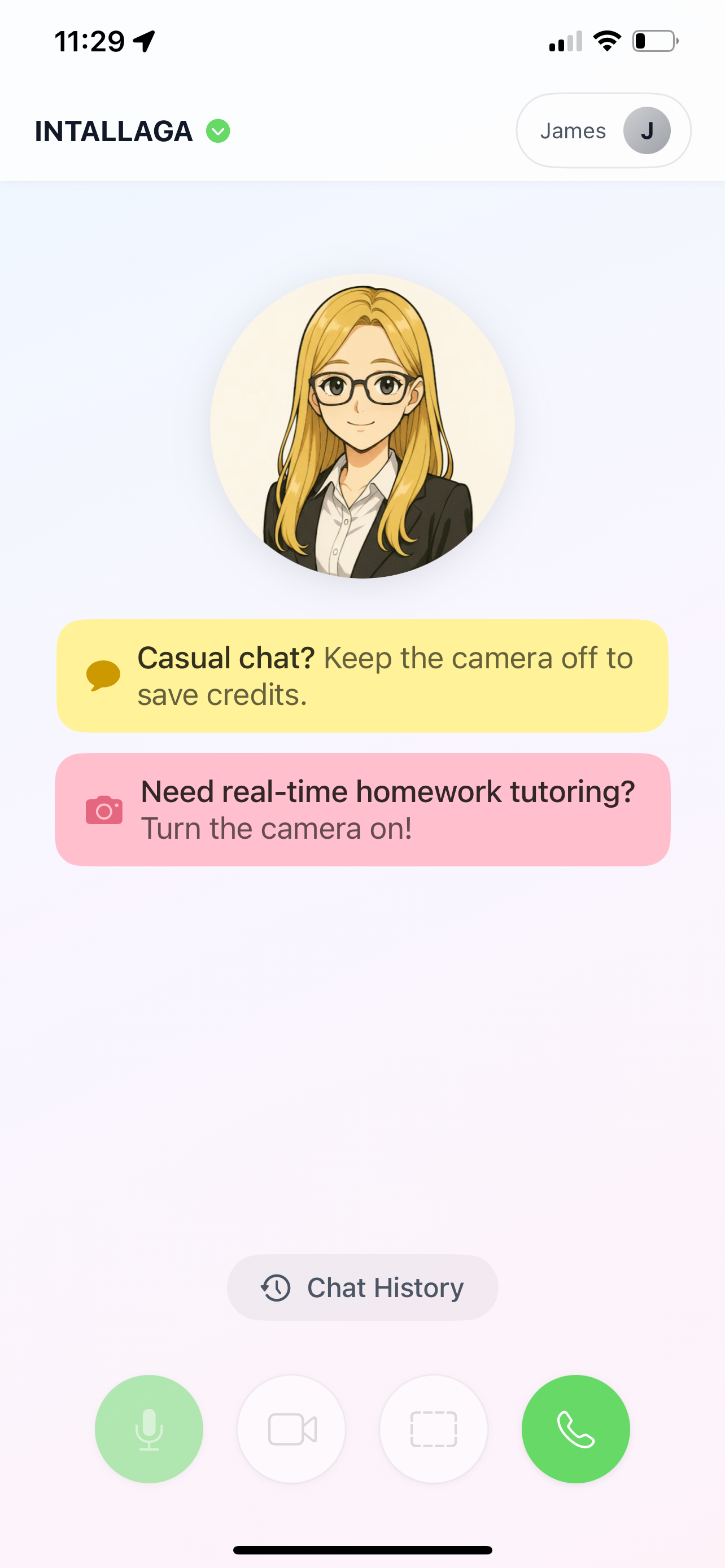

Hey there, Intallaga fam! 👋

You keep sharing, we keep building! This one's a big update — and it's all thanks to you. Let's get into it!


✨ What's New
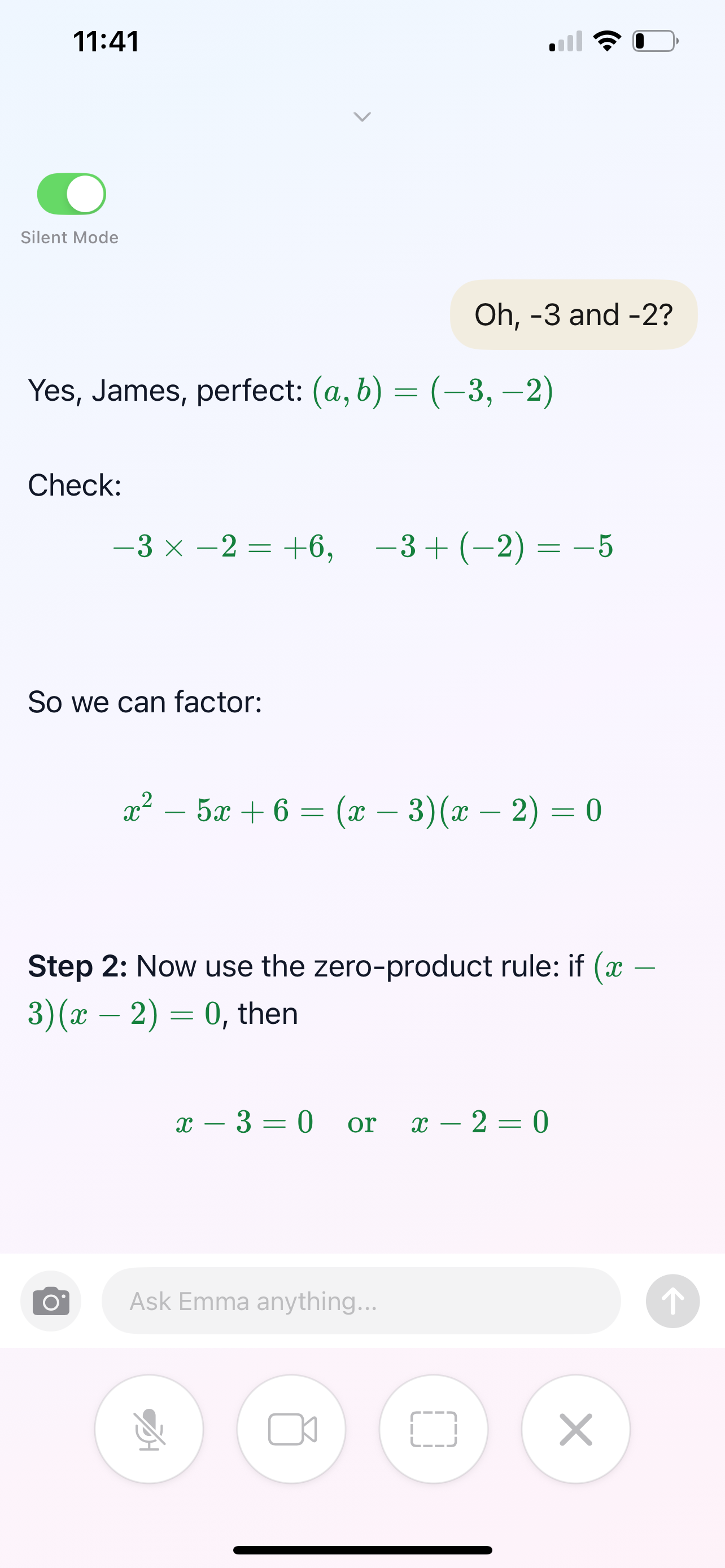
🤫 Introducing Silent Mode

This is the one so many of you asked for! Text and Photo learning for when you worry you might annoy people around you. 

Siblings can finally study in the same room without interrupting each other — no more competing voices or video noise. Just peaceful, focused learning, side by side.
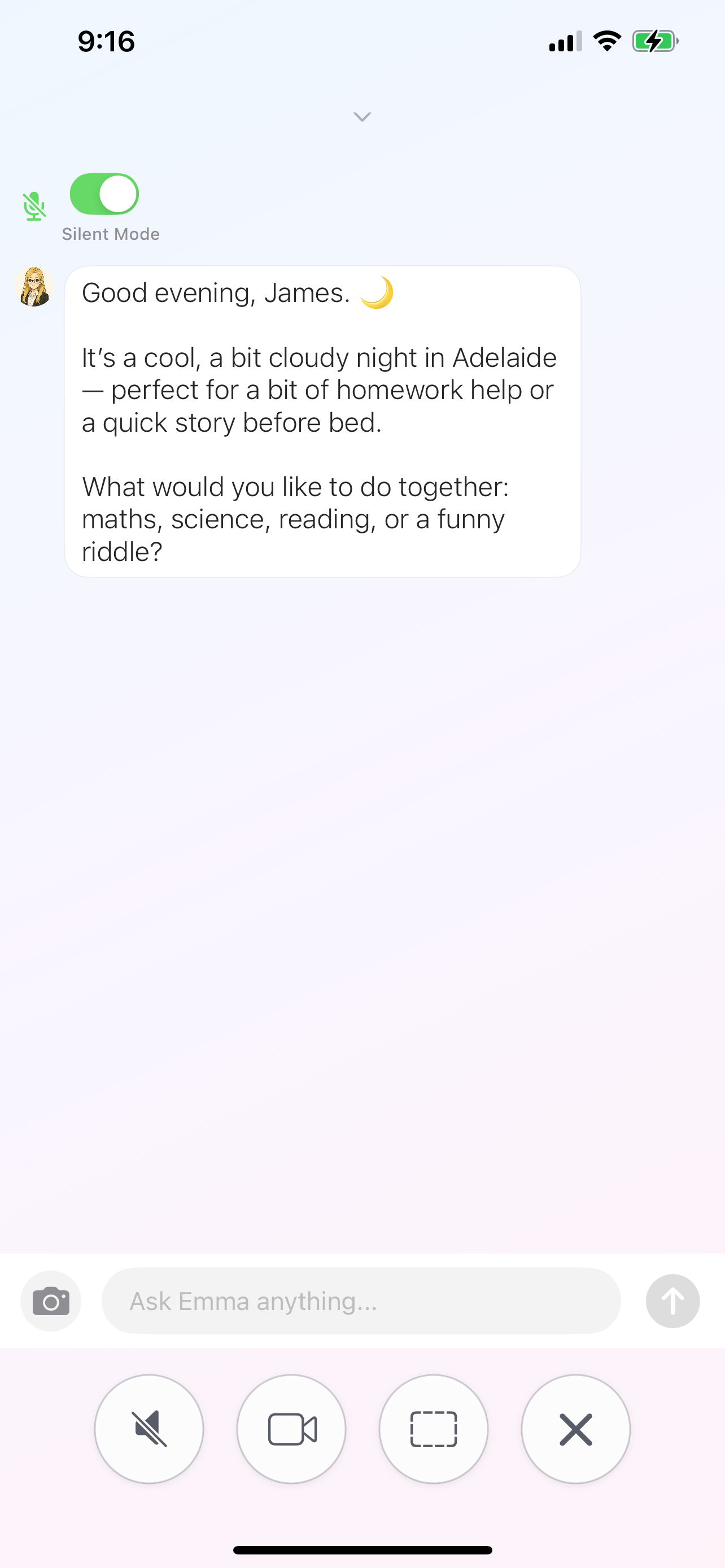

And your wallet will thank you too — Silent Mode saves up to 80% on credits. That basic plan? It stretches so much further now. Snap your homework, get instant help, and keep on learning. 💚


🧮 Math & Science, Crystal Clear

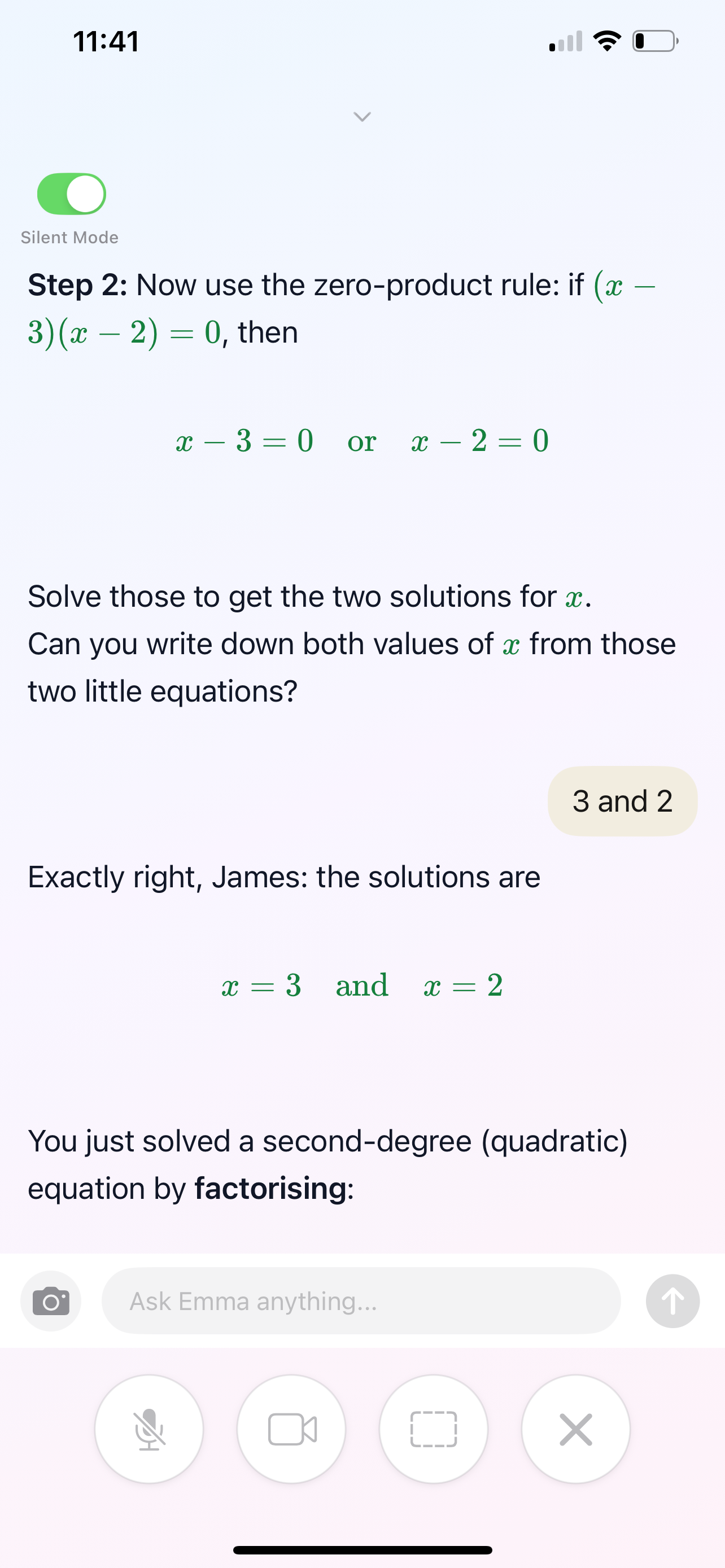
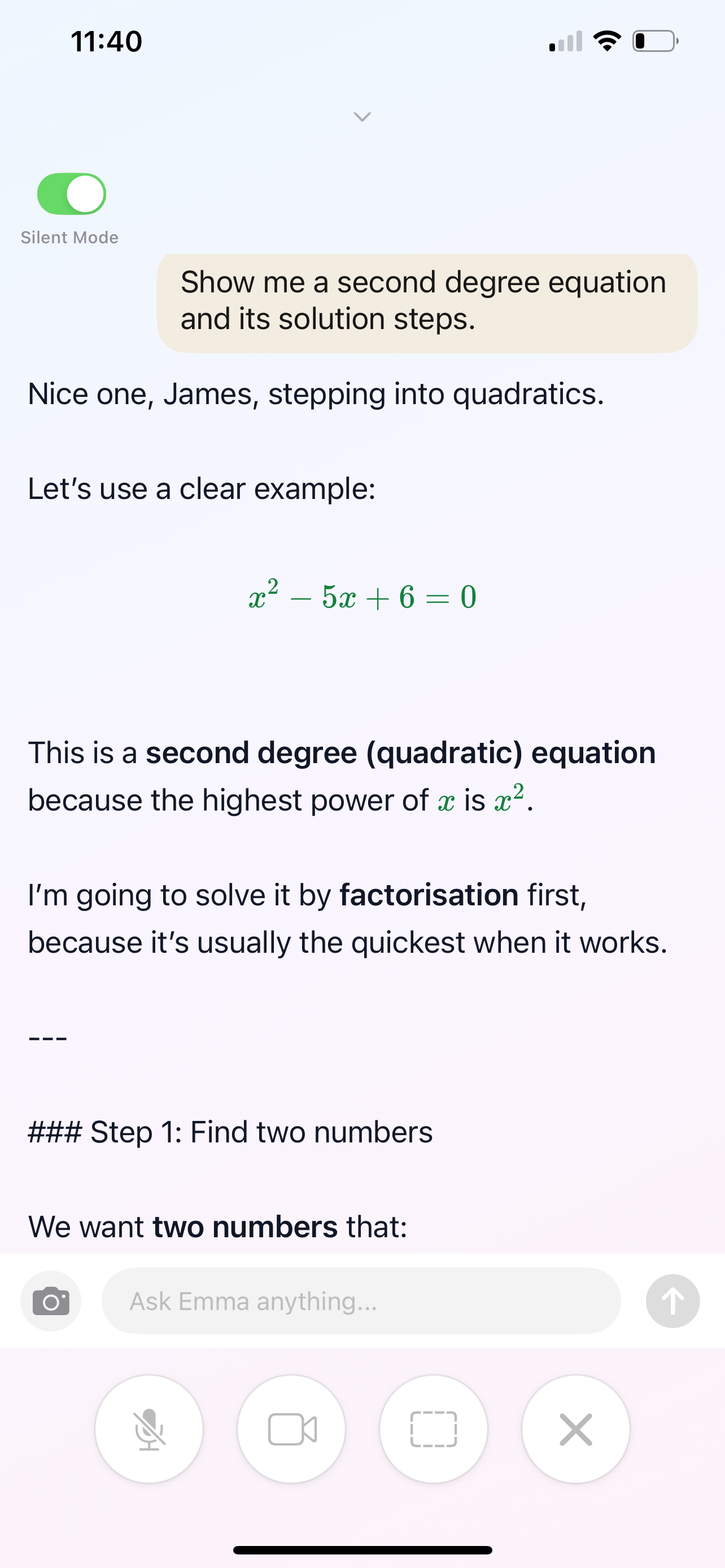
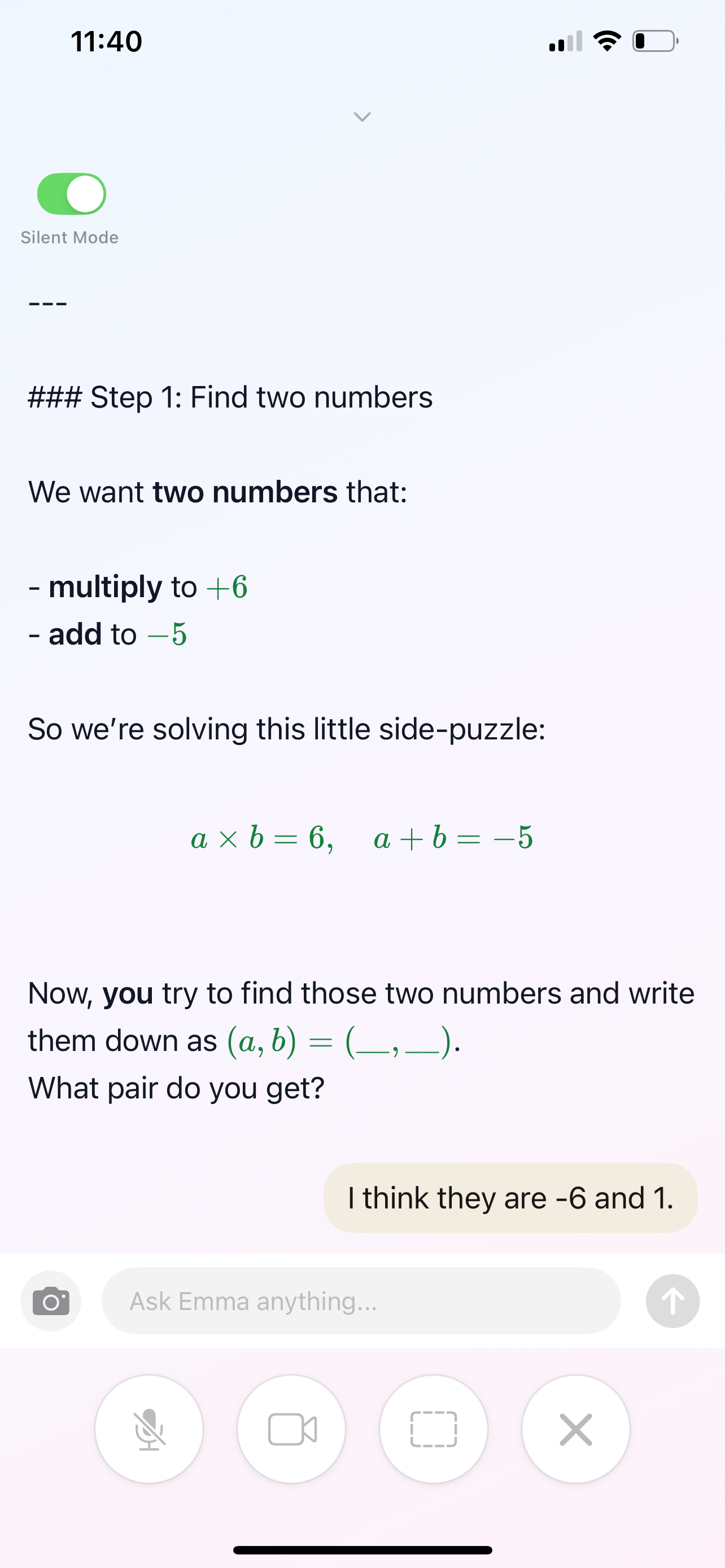
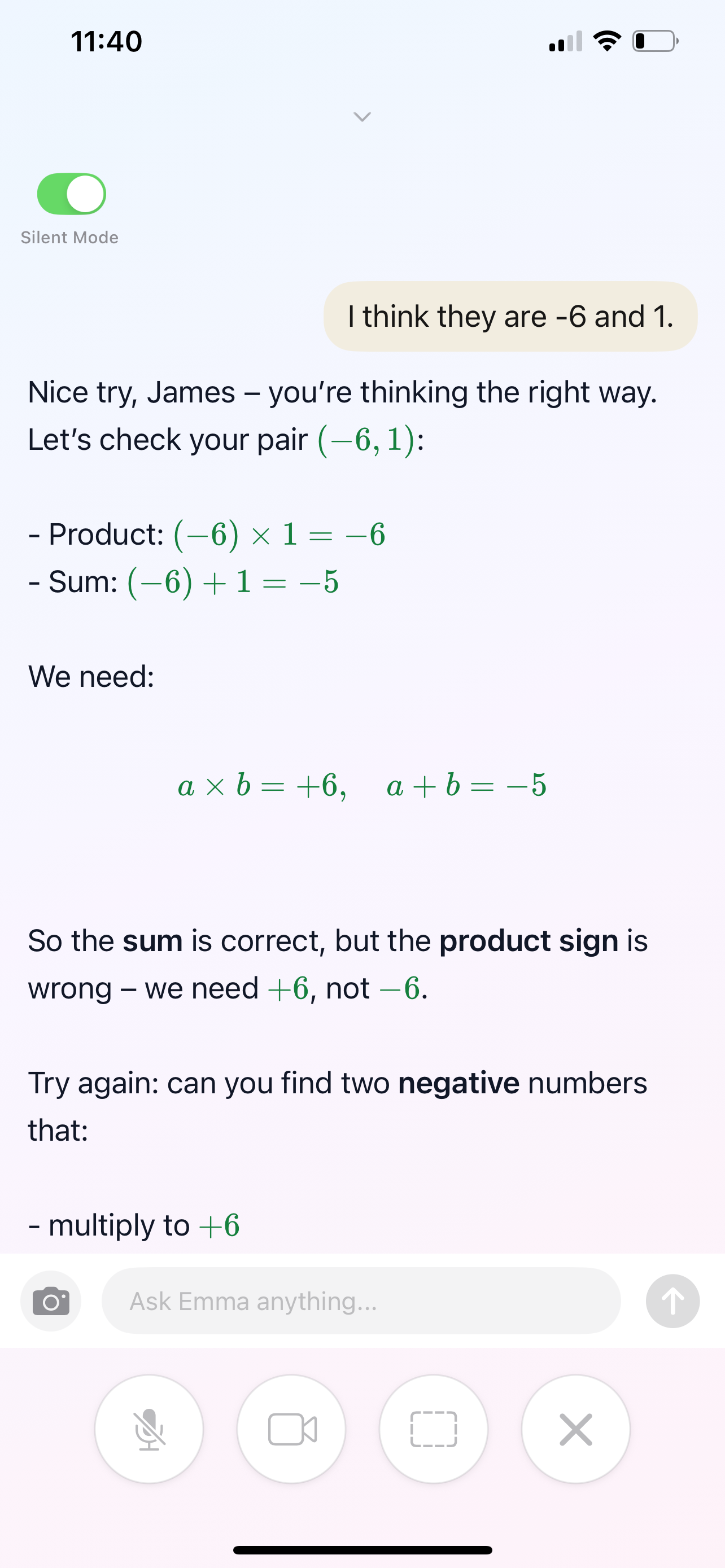
Complex formulas and calculation steps now display beautifully — no more messy equations! Plus, key math and science formulas are now highlighted so students know exactly what's important. Less confusion, more "I get it!" moments.
📚 Real-Time Learning Upgrades

You wanted better ways to learn and review. Done!

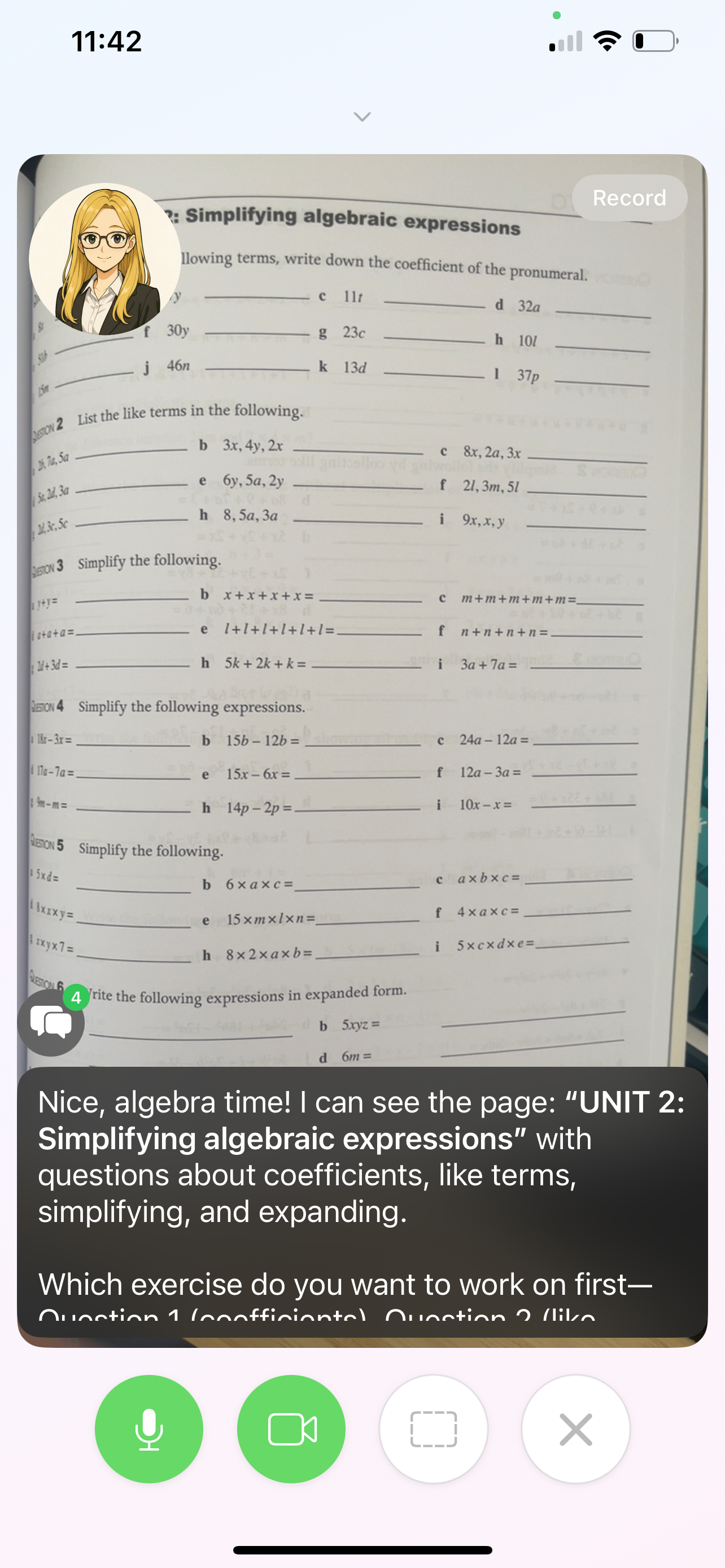
  • Text overlays during live video sessions — catch every detail
  • Full conversation history — revisit any lesson anytime
  • Step-by-step problem breakdowns — understand the "why," not just the answer
👀 Easier on the Eyes

  • Bigger, bolder text throughout — easier reading for everyone
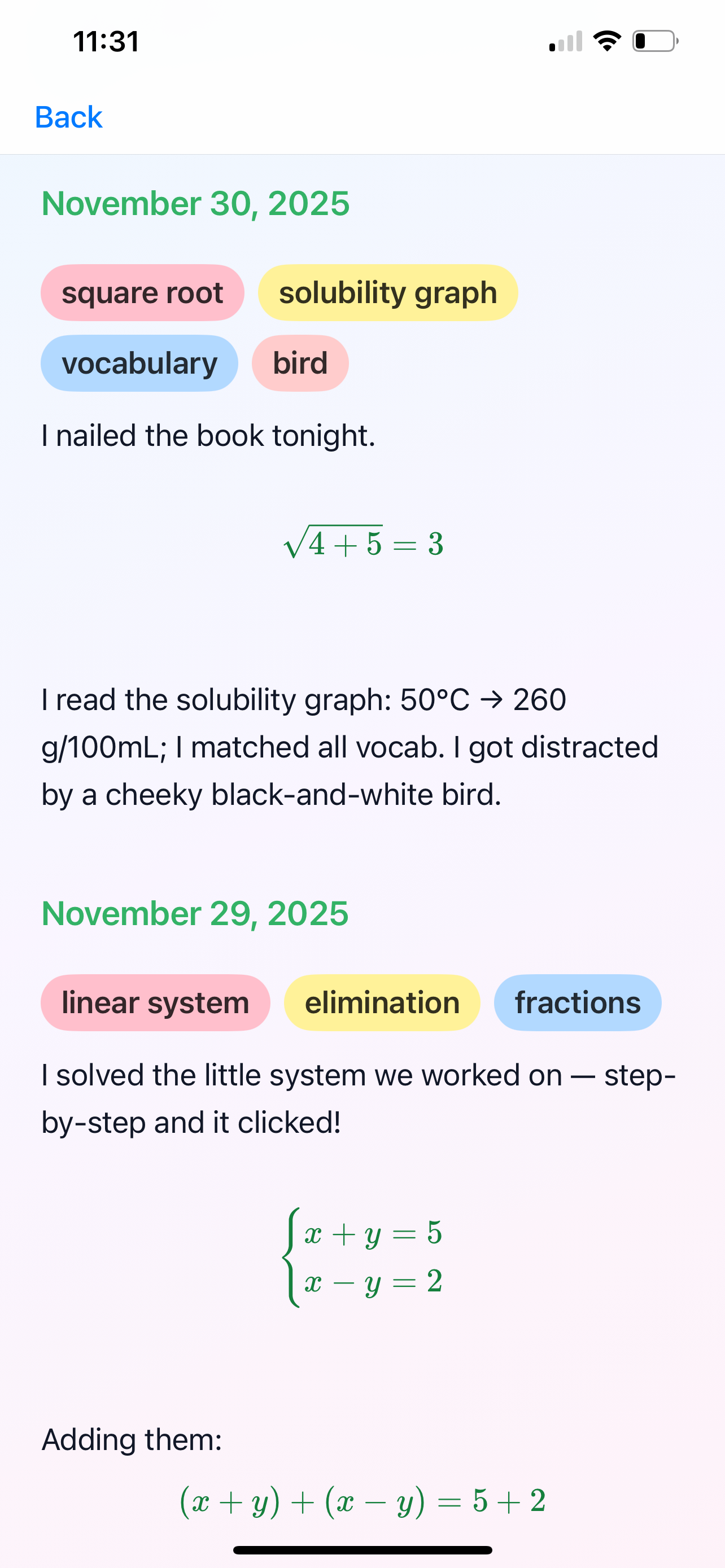
  • Colorful keyword tags in your learning diary — important stuff pops
  • Redesigned progress cards — celebrate every win with clearer stats
🛠️ Bug Squashed

Some of you reported errors when sending images with text. Fixed! Go ahead, snap and chat freely now. 📸


No credit card needed, download here.
-------------------------------------------------------------------------


5 Dec 2025 

🎉 Intallaga iOS Update v1.0.2 — You Asked, We Delivered!

Released: December 5, 2025

Hey there, Intallaga fam! 👋

We've been listening to YOUR feedback, and wow—you all have been amazing! This update is packed with improvements that came straight from the community. Let's dive in!


✨ What's New

🏋️ Introducing "Workout" (formerly "Stumble")

Several of you told us the old name felt a bit... discouraging. We hear you! "Stumble" is now Workout—because learning is exercise for your brain, and every rep makes you stronger! 💪
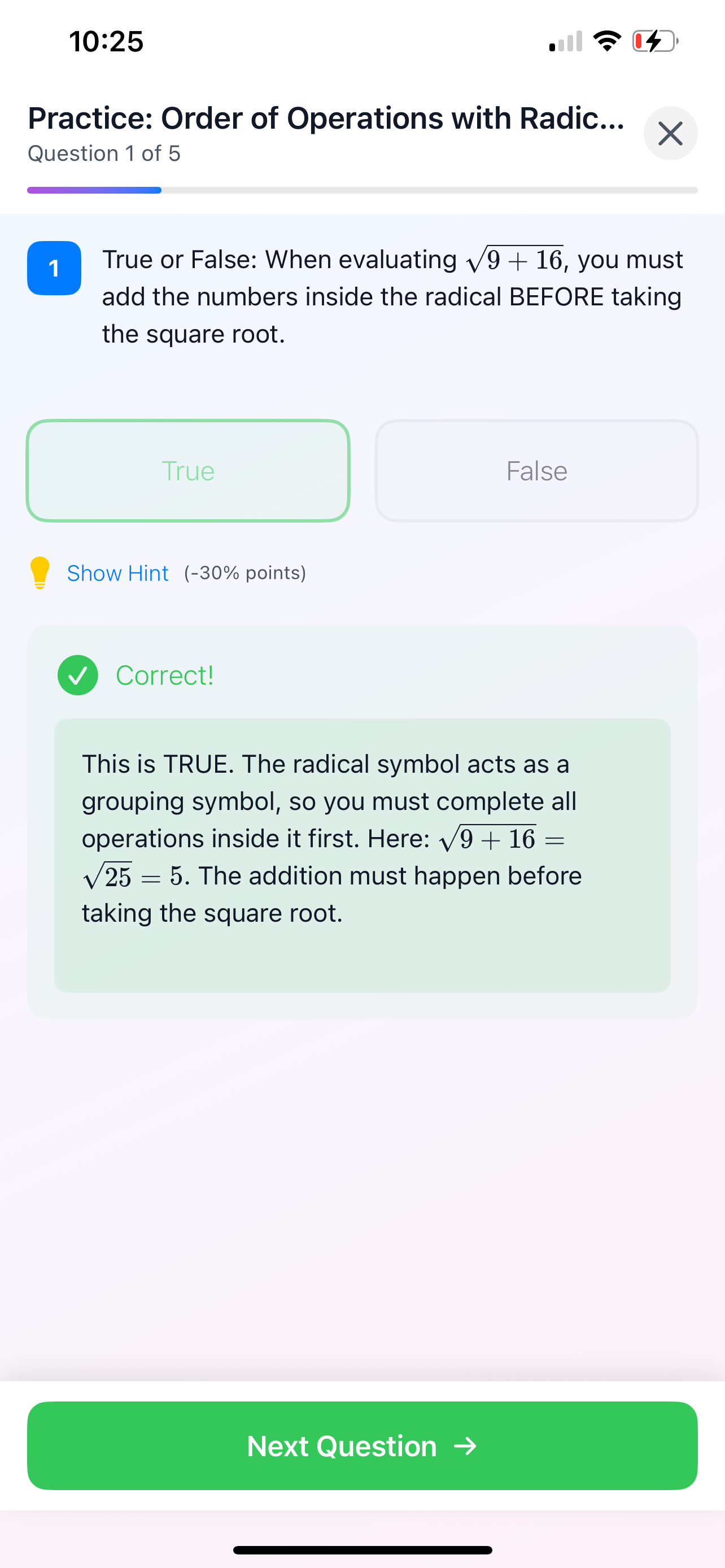
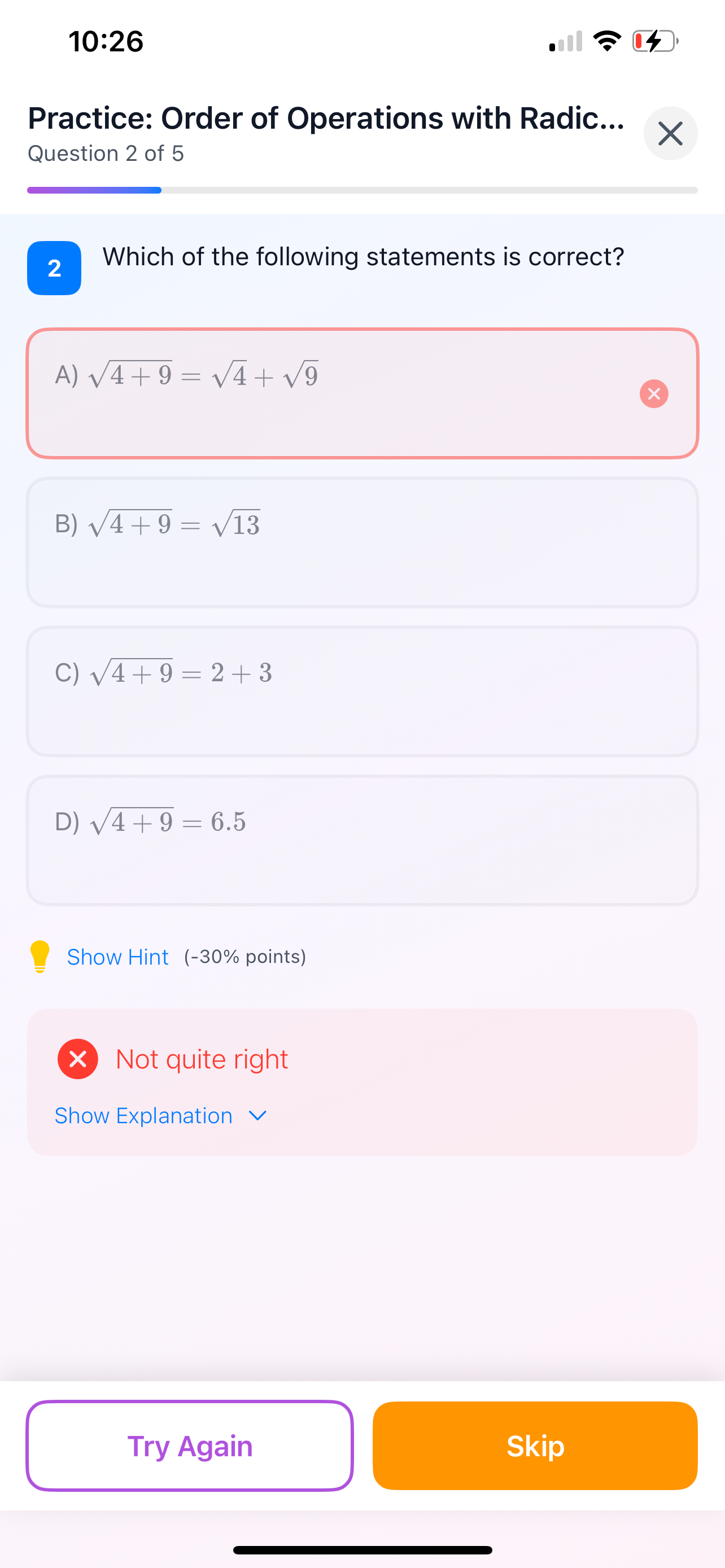
Here's the magic: the more you seek Emma's help with your homework, the better she understands exactly where you need to focus. She'll craft personalized practice just for you, helping you improve effectively and efficiently. Tap Workout, finish your exercises, and watch yourself grow steadily. You've got this!

🎨 Fresh New Icons

We've polished up the Footprints and Workout icons to look even better. Small change, big vibes!
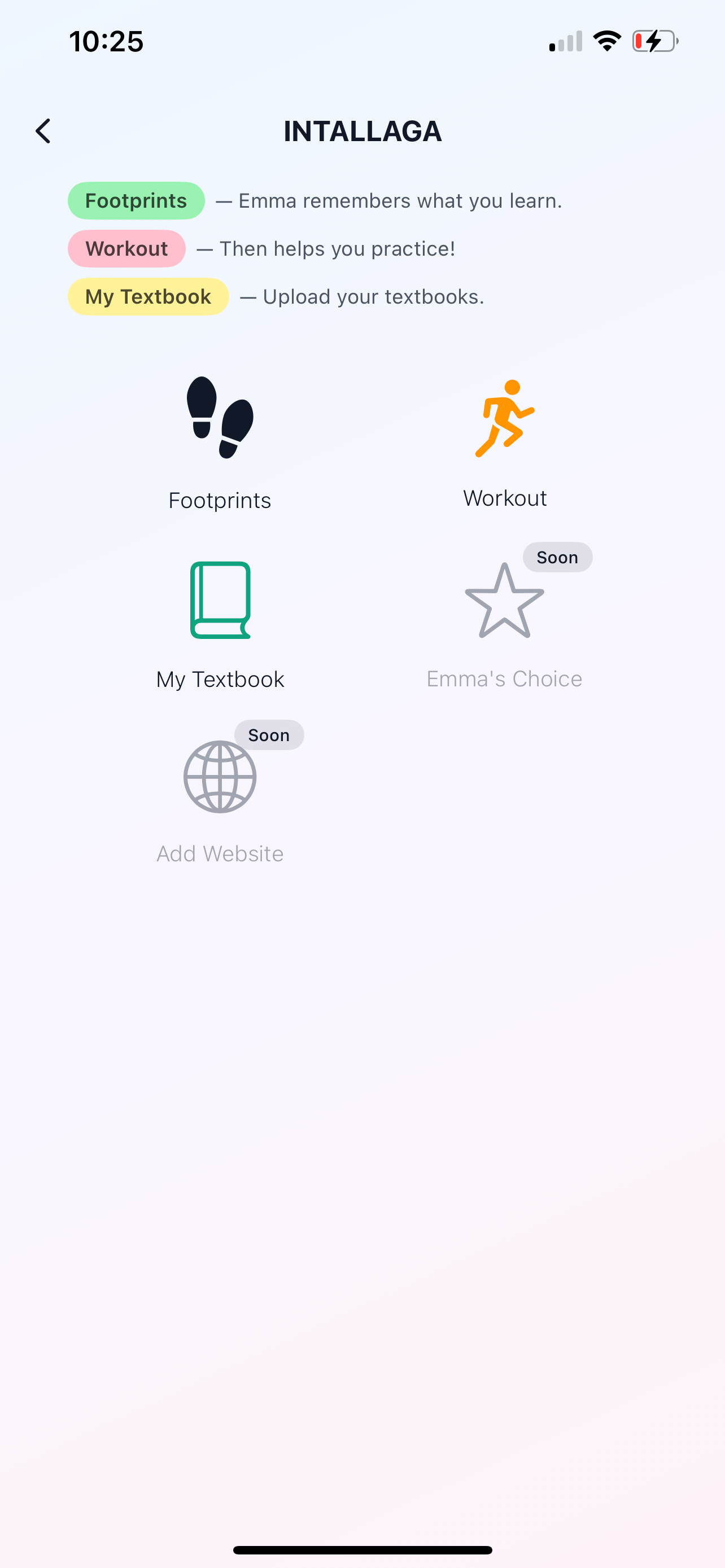

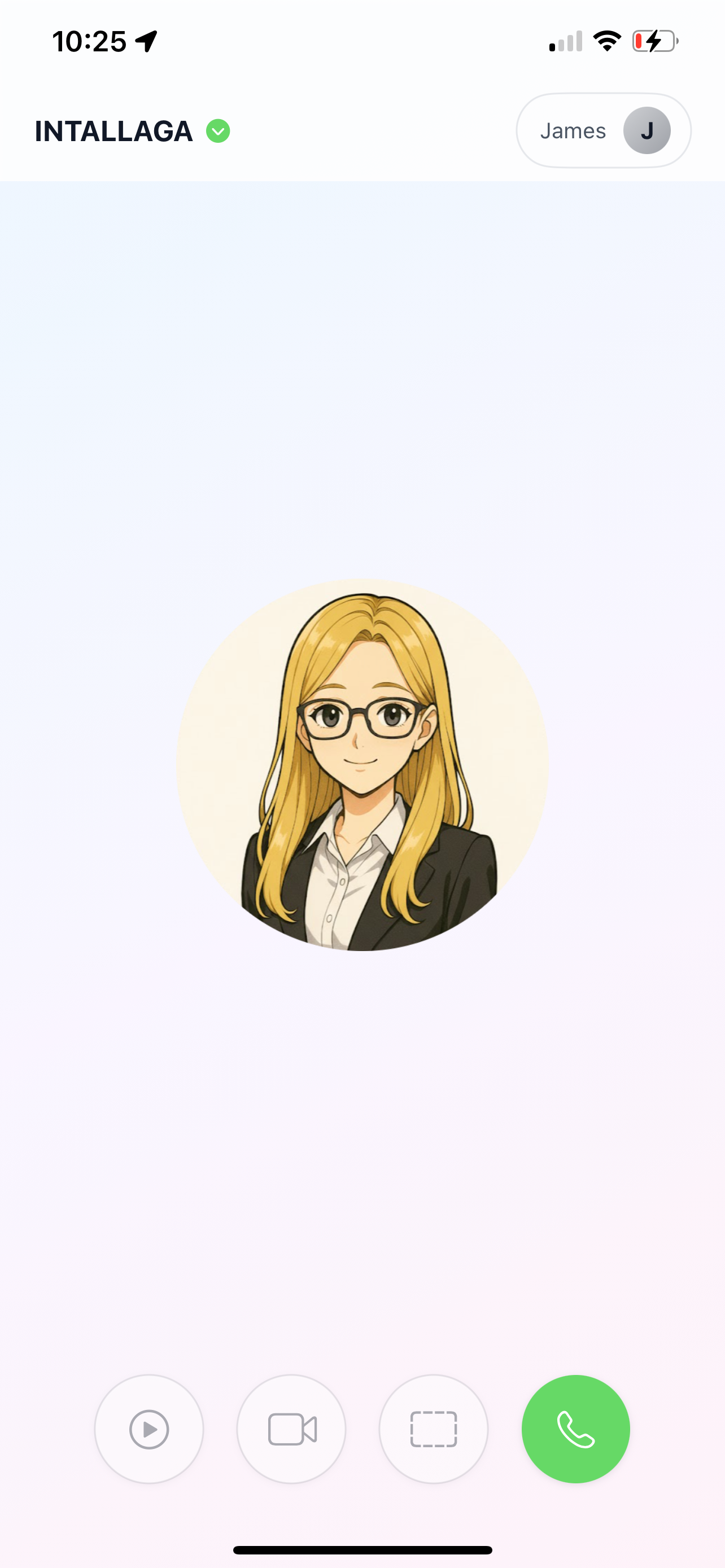
💚 Discover More with the Green Arrow

Many of you told us you had no idea how much there was to explore behind the Intallaga logo. (Honestly, there's a treasure trove in there!) So now you'll spot a little green arrow pointing the way to adventure. Tap it and start exploring!

⌨️ iPhone 13 Keyboard Fix

A bunch of iPhone 13 users reported that the keyboard was covering the Verify button during login—super frustrating, we know! That's now fixed. You'll see a shiny Done button on your keyboard. Once you've entered your verification code, it turns green—tap it, and the keyboard disappears. If your Verify button was never blocked in the first place, just tap it directly. Easy peasy!


🙏 A Big Thank You!

Every single improvement in this update exists because YOU took the time to share your experience with us. Your feedback truly shapes Emma Intallaga, and we couldn't be more grateful.

Keep those ideas coming—we're always listening and we take actions very fast! 

Happy learning! 🌟

— The Intallaga Team


4 Dec 2025

iOS app and iPad app launched!


Workout system launched on web app: Now after a few days of using Emma for homework, Emma will spot things and personalize exercise for you. 

Other update:

 Removed unnecessary UI elements for faster loading 
 Simplified data fetching

 Web UI redesigned for clafification. 
 
-----------------------------------------------------------------------------------------


3 Dec 2025


Typed text UX enhanced: 
Now if you change the color of your whiteboard, the color of the text will automatically adapt for best visibility. 

You can now delete selected text by hitting the delete button on your keyboard, or by clicking the X button. 

The typed text is now editable, with different font sizes available.


2-3 Dec 2025 

Thanks to the feedback from the test drive on 2 Dec, we have the following Emma web app UX Improvements: 
1. Updated welcome prompt text and made it responsive across different screen sizes
2. Made the diary display full-height, scrollable, and shows full content, directly without extra clicks Sidebar and toolbar auto-collapse when diary modal opens, device friendly. (It won't go under Emma's chat box anymore)
3. Fixed PDF fullscreen state not resetting when PDF is closed or minimized 
4. Made Emma chat area more readable with standard Inter font and darker background 5. Grouped consecutive user messages together instead of showing them fragmented or disordered
6. Wider message bubbles to prevent awkward word breaks
7. The the pointing line from welcome prompt removed since it is unnecessary and confusing to users 
8. When users deny location share, microphone or screen share, the prompting messages are messy. Now, they display of such messages are users friendly. 


28-30 Nov 2025

iOS app upgrade: you can now use your finger to jot down math problems or anything else you'd like to discuss with Emma.

Enhancement to the memory system: Emma now handles your academic footprints in a more dynamic and reliable manner.


-----------------------------------------------------------------------------------------
27 Nov 2025 
The UI of make bigger and smaller buttons for image and pdf fixed. They used to look the same. 
When pdf is full screened, Emma avatar and the chat box block the top right corner of the pdf. Bad UX. 
Now: when user full screen a pdf, Emma avatar and chat box will automatically minimize along with the upload area. Our user can have the best view now while still has Emma actively helping your through voice and vision.

------------------------------------------------------------------------------------------
26 Nov 2025
Rolling pages of your pdf textbook is much smoother now. You can turn the pages with turning buttons, double finger rolling on mac, and your mouse too. 

------------------------------------------------------------------------------------------
25 Nov. 2025
Enhance pdf display on the screen, now it is optimized for different sizes of screens, and it's super comfortable to read now.

Images uploaded on canvas can be rotated now. 


-----------------------------------------------------------------------------------------
24 Nov 2025 
Updated webapp and ios version to 001-1. Overall performance of Emma is enhanced. 

-----------------------------------------------------------------------------------------
22 Nov 2025
Enhanced ios app UX of prompt for auto disconnection. 

-----------------------------------------------------------------------------------------
21 Nov 2025 
Enhanced the display of website on phone screens. 

-----------------------------------------------------------------------------------------
20 Nov 2025
Updated canva to have better UX. 

------------------------------------------------------------------------------------------
19 Nov 2025
Updated auto-disconnect prompt modal to enhance UX. 
Updated agent internal logic to have better performance. 

-----------------------------------------------------------------------------------------
18 Nov 2025
Enhanced Emma Chat Buttons UX, Sharescreen is easier to see. 
Optimized the button sizes on different pages so they show better on a smaller screen.

Fixed Admin SGC bugs

---------------------------------------------------------------------------------------
17 Nov 2025
Fixed problem: Textbooks in My Textbook can not be opened.